


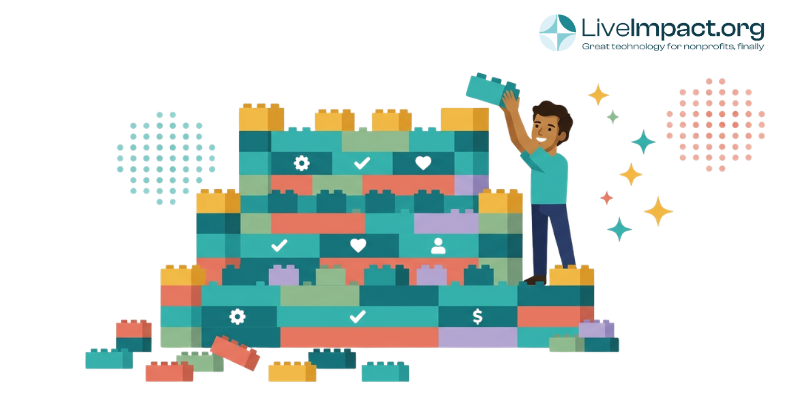
Consolidating your nonprofit’s tech stack starts with a complete software audit: list every platform you’re paying for, identify where data moves between systems manually, and flag the tools your staff work around rather than in. From there, the goal is a single platform that handles your core functions natively, with no syncing, no reconciling, and no duplicate records. This guide walks through each step.
Why nonprofit tech stacks stop working
The stack grows the same way at almost every organization. Development needs to track donors, so a CRM comes in. Programs need intake forms, so a form tool follows. Grants require outcome reporting, so a spreadsheet becomes a third platform. Someone adds a volunteer scheduling app. An event comes up and a ticketing tool lands on top of all of it.
Each decision made sense at the time. Nobody planned to run six disconnected systems. It happened department by department, deadline by deadline, until no one could see the whole picture from a single place.
By 2026, this pattern had become the norm rather than the exception. According to Omatic’s 2026 Nonprofit Technology Ecosystem Trends Report, which surveyed more than 800 nonprofit professionals, 70% of nonprofits now manage five or more core platforms simultaneously, up from 62% the year before. And Wipfli’s 2026 State of Nonprofit research found that 60% of nonprofit executive leaders cite cost as their top technology infrastructure challenge. The irony is that much of that pressure comes from the stack itself.
The fix requires more than trimming subscriptions. It requires understanding where your data actually lives, and where it breaks down.
Start by identifying your data silos
A data silo forms whenever information about the same person, program, or relationship lives in more than one system without a reliable way to keep both versions current. Most nonprofits have several silos without realizing it, because they formed gradually as new tools were adopted.
The most common silos nonprofits find during a consolidation review:
- Donor and constituent silos. Donor history lives in a CRM. Event registrations live in a ticketing platform. Email engagement lives in a marketing tool. No single place shows a complete picture of how a supporter interacts with the organization.
- Program and outcome silos. Service records, client notes, or program data live in a separate system from the grant reporting requirements they’re meant to satisfy. Every funder report requires pulling from both and reconciling the gaps.
- Finance and fundraising silos. Donation data lives in a fundraising platform. Budget and expense data lives in an accounting system. Matching them for an audit or board report requires manual export and reconciliation.
- Communication silos. Volunteer contact lists, donor segments, and program participant records all live in separate places. Reaching any group of stakeholders requires logging into multiple systems and hoping the lists are current.
The goal of tech stack consolidation is a single source of truth: one system where every team draws from the same data, in real time, without exporting or reconciling first. Identifying your specific silos tells you exactly what a consolidated platform needs to replace.
According to the 2025 CCS Philanthropy Pulse Report, 54% of nonprofits identify incomplete or inaccurate data as a major obstacle to maximizing donor information. The cause is usually the same: data spread across systems that don’t stay synchronized.
How to audit your current tech stack
A structured audit takes a few hours and produces a clear picture of what you have, what it costs, and what’s worth keeping. Work through these steps before evaluating any new platform.
- List every software tool your organization pays for. Include tools that individual departments manage independently, annual subscriptions that don’t appear on monthly statements, and any “free” tools where your staff uses a paid tier. Most organizations find tools here they’d forgotten about.
- For each tool, document what it does, who uses it, how often, and what it costs annually. Include implementation fees, training costs, and per-user fees that don’t appear in the base price. The true annual cost is almost always higher than the monthly subscription suggests.
- Map where data crosses between systems. For every crossover point (whether through an integration, a manual export, or a copy-paste), estimate how long that transfer takes per month. Forrester research found that employees in organizations with disconnected systems spend nearly 12 hours per week searching for information across platforms. Manual data transfers are usually the biggest contributor.
- Flag any tool that duplicates a function another tool already does. Overlap is common and often invisible, frequently the trace of an old tool that was never fully retired when the replacement came in.
- Note which tools staff actively avoid or work around. Shadow spreadsheets and manual workarounds are reliable signals that a tool has stopped solving the problem it was purchased to address.
- Calculate total cost of the current setup. Add subscription costs plus a conservative estimate of staff time spent on manual data management, cross-system reconciliation, and integration maintenance. For most organizations, the staff time cost exceeds the subscription cost.
Most nonprofits complete this process and find two or three tools with significant functional overlap, at least one subscription barely used, and several hours per week absorbed by data transfers a unified system would eliminate.
Integration vs. consolidation: understanding the difference
The most common first response to tech stack complexity is middleware: tools like Zapier or Microsoft Power Automate that connect systems and automate data transfer between them. This reduces manual data entry, and for many organizations it represents real progress.
The limitation is what integration can and cannot fix.
When two systems sync through an integration layer, you’re still maintaining two datasets, two billing relationships, two support contracts, and two sets of user permissions. Integrations also break. A software update on either end can interrupt the connection, and when that happens, data stops flowing until someone notices, usually at the worst possible moment before a board meeting or grant deadline.
Consolidation is structurally different. Moving to a platform that handles multiple functions natively means data lives in one place from the start. A donor record, the campaign that converted that donor, and the program outcomes funded by their gift all exist in the same system. No sync or integration required, and no reconciliation before the quarterly report.
For donor management, this means development staff and program staff are looking at the same constituent record, not two different versions of it. For grant management, it means outcome data flows directly into funder reports without extraction or reformatting. The practical difference shows up most clearly when deadlines arrive.
Integration is a reasonable bridge when full consolidation is not immediately possible. As a long-term strategy, it maintains the complexity you’re trying to reduce.
What to look for in a unified nonprofit platform
The right platform depends on what your organization does. A fundraising-focused advocacy group has different core requirements than a direct service provider running case management programs. The evaluation criteria, however, apply broadly.
A genuinely unified platform should handle the following without requiring separate vendors for each:
- Constituent relationship management (donors, clients, volunteers, or all three, depending on your model)
- Fundraising campaigns, donation processing, and donor engagement tracking
- Program or case management, if your organization delivers direct services
- Grant tracking and funder reporting
- Volunteer coordination
- Events, where relevant to your program or fundraising model
The critical question during evaluation: does this platform handle these functions natively, or does it handle some of them and rely on third-party integrations for the rest? Integration-dependent platforms still carry hidden complexity, even when those integrations are promoted as seamless features. Ask specifically which functions are native versus connected through a third-party sync.
Pricing structure matters more than the sticker price. Per-user models charge more every time you add staff, creating a disincentive to give your whole team access to the tools they need. Flat-rate pricing keeps costs predictable as you grow. Our overview of all-in-one nonprofit software compares what’s available across both models.
Implementation support is another variable worth investigating carefully. A platform that requires six months of configuration before it’s usable won’t reduce staff burden in the near term, even if it delivers long-term efficiency. Ask how long typical implementation takes for an organization of your size, whether configuration support is included, and what data migration looks like.
For a deeper look at how pricing structures compare across platforms, the guide to nonprofit CRM pricing breaks down what each model actually costs over time.
What consolidation looks like in practice
A consolidated platform puts the functions your organization uses most into a single system. Exactly which functions depend on your program model. A fundraising-focused organization needs donor management, campaign tools, event management, and grant tracking in one place. A direct service organization also needs case management and outcomes reporting alongside those functions. A volunteer-driven organization needs volunteer coordination connected to its donor and event records.
In each case, the operational result is the same: staff in different departments are drawing from the same data without exporting, reconciling, or maintaining the connections between separate tools.
LiveImpact is built for this consolidation model. Case management, donor management, grant tracking, fundraising, volunteer coordination, and events run in the same system. Client records, donor histories, grant requirements, and program outcomes live in one place from the start. For organizations currently running five or more tools, this typically reduces total subscription costs while also recovering staff time that was absorbed by cross-system data management.
You can review LiveImpact’s pricing or request a demo to see how the platform handles your organization’s specific mix of programs and fundraising.
Frequently asked questions about nonprofit tech stack consolidation
What is nonprofit tech stack consolidation?
Nonprofit tech stack consolidation is the process of replacing multiple disconnected, single-purpose software subscriptions with a smaller set of integrated platforms, ideally one that handles your core functions natively. The goal is a single source of truth where donor records, program data, grant requirements, and financial information all live in one system rather than spread across separate tools that require manual synchronization.
How do I know if my nonprofit needs to consolidate its tech stack?
The clearest signals are staff who regularly export data from one system to paste into another, funder reports that require pulling from three or more sources, and the same constituent records existing in multiple systems with different information in each. If your team has built shadow spreadsheets because none of your platforms does exactly what they need, that’s another reliable indicator. Most organizations managing five or more platforms are good candidates for consolidation.
How many software tools does the average nonprofit use?
According to Omatic’s 2026 Nonprofit Technology Ecosystem Trends Report, 70% of nonprofits manage five or more core platforms simultaneously, up from 62% in 2025. Ninety percent manage three or more. Nearly 57% plan to add or change at least one platform in the next twelve months.
What is a data silo and how do I identify one?
A data silo forms whenever information about the same person, program, or relationship lives in more than one system without a reliable mechanism to keep both current. To identify yours, trace the path a piece of data takes in your organization: where does a new donor record first get created, and how many other systems does that information eventually get entered into? Every manual transfer or export-import step marks a silo boundary.
What is the difference between integrating and consolidating nonprofit software?
Integration connects existing tools through middleware so data syncs between them. Consolidation replaces multiple tools with a single platform that handles those functions natively. Integration reduces manual work but maintains separate subscriptions, separate datasets, and integration failure risk. Consolidation eliminates those issues at the source by keeping data in one place from the start. Integration is a reasonable short-term fix; consolidation is the long-term solution.
What should I look for when evaluating an all-in-one nonprofit platform?
Verify that the platform handles your highest-priority functions natively rather than through third-party integrations. Ask specifically which features are built-in versus connected through a sync. Look for flat-rate pricing rather than per-user models, which get more expensive as your team grows. Confirm that implementation support and data migration are included, and ask for a realistic timeline on how long onboarding typically takes. Our guide to the best nonprofit database software covers what to look for across different program models.
How much can nonprofits save by consolidating their tech stack?
Direct subscription savings depend on how many platforms you’re replacing and what each costs. For organizations running five or more tools, it’s common to reduce monthly software spend significantly when replacing them with a single platform. The less visible savings come from staff time: research from Forrester found that employees in organizations with disconnected systems spend nearly 12 hours per week searching for information across platforms. Recovering even a portion of that time has real budget value, even when it doesn’t show up as a line item.