


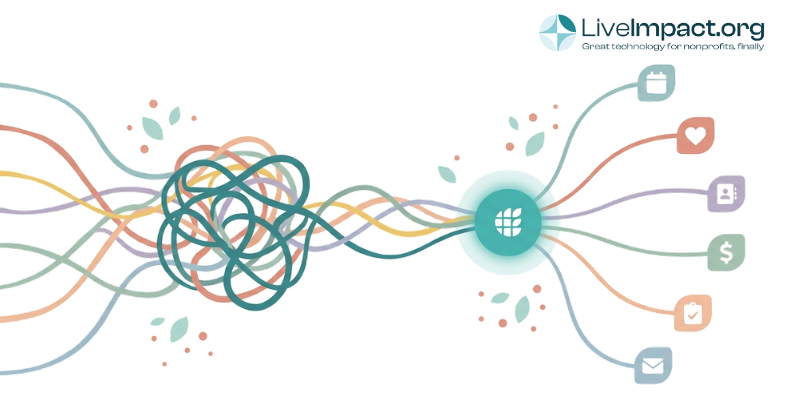
Even in 2026, many nonprofits find themselves managing their donors in one system, tracking cases or programs in another, coordinating volunteers through a third, and running events from a fourth. Each tool has its own login, its own data, and its own monthly bill. Staff end up copying information between platforms every week, and when your board asks for a report that pulls donor giving alongside program outcomes, someone has to build it by hand in a spreadsheet.
All-in-one nonprofit software solves this by putting your CRM, fundraising, case management, events, volunteer coordination, and grants into a single platform. One database, one login, one place where a donor record connects to their volunteer hours, event attendance, and the programs they support, with a single source of truth for everything.
But “all-in-one” has become a marketing term. Plenty of platforms use the label while only covering a few features like fundraising and CRM, leaving you to find separate tools for case management, grant tracking, volunteers, or events. So, which platforms actually deliver a complete, unified system, and which ones leave gaps you’ll have to fill? Here’s what to look for and how the top options compare.
What Does All-in-One Nonprofit Software Include?
Before comparing platforms, it helps to define what a genuinely comprehensive nonprofit management software platform actually includes. A true all-in-one solution brings six core capabilities under one roof:
- CRM and donor management for tracking every relationship, gift, and interaction in a single contact record
- Fundraising tools including online donations, campaigns, peer-to-peer fundraising, and recurring giving
- Event and auction management covering registration, ticketing, mobile bidding, and post-event follow-up
- Volunteer coordination with scheduling, hours tracking, and communication tools
- Case management or program tracking for client intake, service delivery, outcomes reporting, and funder compliance
- Grant management to track deadlines, deliverables, and reporting requirements across multiple funders
If a platform covers the first three or four but requires you to purchase add-ons or connect third-party tools for case management or grant tracking, you’re still juggling multiple systems. The whole point of going all-in-one is eliminating those gaps. You don’t want to find yourself looking for a separate tool as your nonprofit grows.
Why Using Separate Tools Costs More Than You Think
Piecing together separate systems can look manageable when you add up the sticker price of subscriptions, but the visible line items are rarely the whole story.
The hidden expenses add up fast. According to a 2023 NTEN report, nonprofits spend an average of 20% of their technology budget on integration and data management between disconnected systems. Every hour your development director spends exporting donor data from one platform and importing it into another is an hour they could spend building relationships with major gift prospects. The hidden costs are all too real.
There are also data quality risks. When contact records live in multiple systems, duplicate entries and conflicting information become unavoidable. A volunteer who becomes a donor might have two separate records, which means your thank-you letter misses their volunteer history and your stewardship feels impersonal. An all in one, unified platform eliminates this by maintaining a single record for each person across every touchpoint.
What to Look for When Evaluating Platforms
Pricing models vary dramatically across nonprofit software, and the sticker price on a vendor’s website rarely tells the full story. Here are the factors that matter most when you’re comparing options:
- Per-user vs. flat-rate pricing. Some platforms charge for every staff member, board member, or volunteer who needs access. For a growing organization, this can quickly increase your software cost. Flat-rate pricing lets your team grow without your bill growing with it.
- Contact-based pricing. Other platforms price based on how many donor or client records you store. As your database grows from 1,000 to 10,000 contacts over a few years, your cost can jump significantly. Look for platforms that keep pricing separate from database size.
- Depth vs. breadth. Some platforms cover many functions but lack depth in any one area. If your organization runs complex case management programs with grant compliance requirements, you need more than a basic notes field attached to a contact record.
- Setup and migration support. Switching platforms takes real time and effort. Ask what the vendor provides for data migration and training. A platform that costs less per month but requires you to hire outside help to get running may cost more in year one than a pricier tool with hands-on onboarding included.
- Reporting across modules. One of the biggest advantages of a unified platform is the ability to pull information from multiple areas into a single report: which donors also volunteer, which event attendees became recurring givers, or which grant-funded programs are hitting their targets. This is a key benefit of an all-in-one solution, and is where many “all-in-one” platforms fall short.
Beyond pricing, pay attention to how flexible the platform is. Your intake forms, donor acknowledgment workflows, and reporting templates should be adjustable without needing outside help every time something changes. Platforms that charge extra for configuration can quietly chip away at your budget.
How the Top Platforms Compare at a Glance
All-in-One Nonprofit Software: Feature Comparison
How the top platforms compare across the six core modules nonprofits need.
| Platform | CRM & Donors | Fundraising | Events | Volunteers | Case Mgmt | Grants | Pricing Model |
|---|---|---|---|---|---|---|---|
| LiveImpact | ⬤ | ⬤ | ⬤ | ⬤ | ⬤ | ⬤ | Flat rate |
| Giveffect | ⬤ | ⬤ | ⬤ | ⬤ | ⬤ | ⬤ | Tiered |
| CharityEngine | ⬤ | ⬤ | ⬤ | ⬤ | ⬤ | ⬤ | Quote-based |
| Bloomerang | ⬤ | ⬤ | ⬤ | ⬤ | ⬤ | ⬤ | Per-contact |
| Neon CRM | ⬤ | ⬤ | ⬤ | ⬤ | ⬤ | ⬤ | Revenue-based |
| DonorPerfect | ⬤ | ⬤ | ⬤ | ⬤ | ⬤ | ⬤ | Per-contact |
| Salesforce NPSP | ⬤ | ⬤ | ⬤ | ⬤ | ⬤ | ⬤ | Per-user + add-ons |
The Best True All-in-One Nonprofit Platforms in 2026
Very few platforms genuinely qualify as all-in-one when you apply the six-module test above. Here’s how the strongest options compare.
LiveImpact
LiveImpact is a platform built specifically as an all-in-one software solution for small-to-mid-size nonprofits. It covers donor management, fundraising (including online donations, peer-to-peer, and text-to-give), event and auction management, volunteer coordination, case management, and grant tracking.
What separates LiveImpact from most platforms in this category is how it handles case management alongside fundraising. Organizations running direct service programs (housing, youth services, social services, behavioral health) can manage client intake, track outcomes, generate funder-compliant reports, and handle their donor relationships from the same system. A built-in AI tool lets staff pull reports and surface insights by asking plain-language questions, so you get the answers you need without building complex queries.
Pricing follows a flat-rate model. You pay for the modules you need, with no additional charges per user or per contact. Adding staff, board members, or volunteers costs nothing extra, which makes it easier to plan your budget as your team grows.
Best for: Nonprofits that run direct service programs alongside fundraising and need both case management and donor management without paying for two separate platforms.
CharityEngine
CharityEngine is a CRM and fundraising platform that includes donor management, email marketing, events, auctions, advocacy, peer-to-peer fundraising, membership management, payment processing, and reporting. The platform also offers some case management capabilities alongside website hosting and text messaging tools.
CharityEngine’s standout feature is its built-in payment processing, which means you have a single place to call when something goes wrong with a transaction. The platform also has strong recurring giving tools, which CharityEngine highlights as a core strength. Quote-based pricing positions it for larger organizations. Visit the CharityEngine website for current pricing details.
Best for: Mid-size to large fundraising-driven nonprofits that want built-in payment processing and strong recurring giving infrastructure.
Giveffect
Giveffect markets itself as a “10-in-1” platform, connecting CRM, online giving, fundraising and events, volunteer management, marketing and communications, membership management, website hosting, automation, and reporting into a single system. The platform earns strong reviews on Capterra and G2 for its user-friendly interface and responsive customer support.
Giveffect is well suited for organizations whose primary focus is fundraising, donor engagement, and volunteer coordination. Its event and auction tools are solid, and the built-in email and direct mail marketing system means you can manage donor communications without a separate email platform.
The gap to note: Giveffect does not include dedicated tools for client intake, service tracking, or outcomes reporting. If your organization delivers direct services or needs to report client-level data to funders, you would still need a separate case management tool alongside Giveffect. Pricing is quote-based; check the Giveffect website for current rates.
Best for: Mid-size to larger nonprofits focused primarily on fundraising, events, and donor engagement who can work without case management tools.
Platforms That Market as All-in-One but Leave Gaps
Several popular nonprofit platforms describe themselves as comprehensive solutions. They cover CRM, fundraising, and events, but fall short of being a true all in one platform for different reasons. Here’s an honest look at where each one fits and where it falls short.
Neon CRM
Neon CRM offers donor management, fundraising, event management, membership management, basic volunteer tracking, and grant tracking. The platform is popular with small-to-mid-size nonprofits and has a clean, modern interface.
Where Neon CRM runs into limits: there is no case management. Grant tracking exists but is relatively basic compared to dedicated tools. Reviewers on G2 and Software Advice consistently note that while the platform covers many functions, no single module offers deep, specialized capability.
Neon CRM describes this tradeoff honestly in third-party reviews as a “jack-of-all-trades” approach. Pricing is tiered, with key features like membership management, peer-to-peer fundraising, and advanced email marketing requiring higher tiers. Check the Neon CRM website for current pricing.
Bloomerang
Bloomerang is a well-regarded donor management platform with a strong reputation for donor retention analytics. The platform includes CRM, online giving, email marketing, peer-to-peer fundraising, and auctions. Bloomerang has added volunteer management and basic grant tracking as either built-in features or add-on modules.
Where Bloomerang runs into limits: there is no case management, no program tracking, and no client outcomes reporting. If your organization delivers direct services, Bloomerang handles the fundraising side well but leaves your program team without a home. Volunteer management is a separate add-on product, and pricing for the core CRM is contact-based, meaning costs increase as your database grows. For a detailed comparison, check out our nonprofit CRM comparison.
DonorPerfect
DonorPerfect is a long-established CRM and fundraising platform with strong reporting and donor management capabilities. The platform covers online giving, email marketing, event management, and integrations with third-party tools.
Where DonorPerfect runs into limits: there is no case management, no native volunteer management (requires third-party integration), and grant management is limited to basic tracking within the CRM. The platform is fundraising-focused at its core, and organizations needing program management or volunteer coordination will need additional tools. Pricing is contact-based and increases as your database grows.
Salesforce Nonprofit Cloud
Salesforce is the most customizable option on this list, with a large library of apps and integrations. With enough setup and add-ons, it can handle almost any nonprofit workflow.
The tradeoff: Salesforce requires significant setup time, technical knowledge, and often a paid consultant or administrator to configure and maintain. Most small-to-mid-size nonprofits find that the total cost (licensing plus setup plus ongoing upkeep) far exceeds what they’d pay for a purpose-built nonprofit platform. The learning curve is steep for staff who are not technically inclined, and the platform was originally built for commercial sales teams, with nonprofit tools added on top.
For larger organizations with the budget and technical capacity, Salesforce can be powerful. Most nonprofits in the $500K to $10M range, though, will find it more platform than they need. We wrote about this tradeoff in more detail in our Salesforce vs. LiveImpact comparison.
How to Decide Which Platform Fits Your Organization
The right choice depends on what your organization actually does day-to-day.
Direct service programs and fundraising: If you run both, you need a platform that handles case management and donor management with equal depth. Running a housing program with intake workflows, outcome tracking, and funder reporting is a fundamentally different requirement than managing a donor database. LiveImpact is the only platform in this comparison that bridges both without requiring separate tools or expensive add-ons.
Fundraising and donor engagement as your core focus: Organizations whose primary operation is donor engagement and fundraising, and that can work without case management or program tracking tools, will find Giveffect a strong fit with well-developed marketing and volunteer modules.
Smaller nonprofits focused on donor retention: If program management is handled outside your software, Bloomerang or Neon CRM provide solid fundraising-focused platforms at lower price points. Be prepared for costs to increase as your database and team grow, since both use contact-based or tiered pricing.
Large budgets with technical staff: If your organization has the resources and in-house technical capacity, Salesforce offers the most flexibility, though at a much higher total cost and complexity than most small-to-mid-size nonprofits need.
See What You’re Actually Spending
Before committing to any platform, list every tool your organization currently uses and what you pay for each one (subscriptions, transaction fees, and staff time spent moving data around manually). That total is your real baseline. Compare it against what an all-in-one platform would charge for the same coverage. In many cases, a unified approach costs less while giving your team a cleaner, more connected picture of your work.
Ready to see how an all-in-one approach works in practice? Request a demo from LiveImpact to explore how a unified platform can simplify your operations and give your team more time for the work that matters.
Frequently Asked Questions About All-in-One Nonprofit Software
What is all-in-one nonprofit software?
All-in-one nonprofit software is a single platform that combines multiple operational tools (CRM, fundraising, event management, volunteer coordination, case management, and grant tracking) into one unified system. Instead of managing separate logins and databases for each function, staff access everything from one dashboard with one shared database of contacts and records.
How much does all-in-one nonprofit software cost?
Pricing varies widely depending on the platform and your organization’s size. Some platforms use flat-rate models (one predictable monthly fee regardless of users or contacts), while others charge based on how many contacts you store, how many staff have logins, or how much fundraising revenue you process. Always ask vendors about transaction fees and implementation costs in addition to the base subscription, since those can significantly change the total annual number.
Is all-in-one software better than using separate specialized tools?
For most small-to-mid-size nonprofits, using one system reduces cost, eliminates disconnected data, and saves significant staff time. The tradeoff is that some specialized tools may offer deeper features in a single area. The right answer depends on whether your organization benefits more from depth in one function or from the efficiency of having everything connected.
Which all-in-one nonprofit software includes case management?
Among the platforms commonly marketed as all-in-one, LiveImpact is the only one that includes full case management (client intake, service tracking, outcomes reporting, and funder compliance) alongside donor management and fundraising tools. CharityEngine offers some case management capabilities, though it is primarily positioned as a fundraising platform. Bloomerang, Neon CRM, DonorPerfect, and Giveffect do not include dedicated case management.
Can I migrate my data from my current tools to an all-in-one platform?
Yes. Most platforms offer data migration support, though the process varies in cost and complexity. Look for vendors that include migration assistance as part of onboarding rather than charging it as a separate fee. Clean, well-organized data in your current systems makes the transition smoother.
What is the best all-in-one nonprofit software for small organizations?
For small nonprofits that need both fundraising and program management, LiveImpact offers the broadest coverage at a flat-rate price with no per-user fees. For small nonprofits focused purely on fundraising and donor management, Bloomerang or Neon CRM provide solid options at lower entry price points, though they lack case management and full program tracking.