


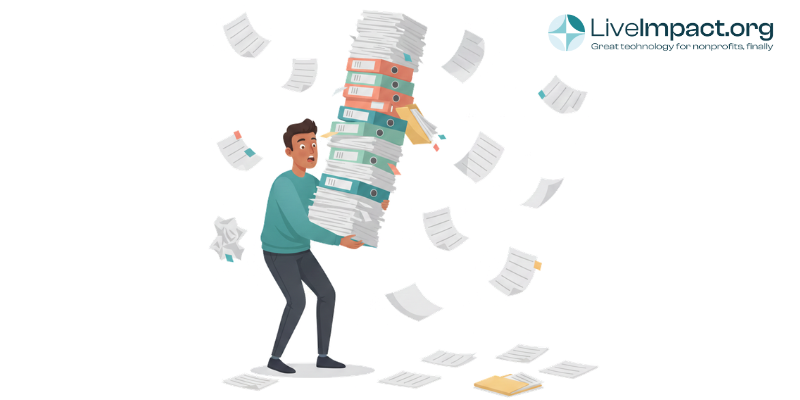
If your nonprofit runs on spreadsheets, you’re in good company. According to a survey by NTEN, a nonprofit technology training organization, nearly 30% of fundraising and development departments still primarily store data in spreadsheets. And that number likely undercounts the organizations using Excel or Google Sheets for program tracking, volunteer coordination, and grant reporting on top of their donor records.
Spreadsheets are familiar. They’re free (or close to it). And for a brand new nonprofit with a handful of contacts, they work fine. But there’s a tipping point where spreadsheets stop serving your mission and start working against it. Recognizing that tipping point, and knowing what to do about it, can save your team hundreds of hours and dramatically improve your nonprofit data management.
This guide walks you through the practical steps of moving from scattered spreadsheets to a connected system.
Why Spreadsheets Break Down for Growing Nonprofits
A spreadsheet can hold data, but it can’t manage relationships between data (ok spreadsheet wizards out there, they CAN but it’s HARD). That distinction matters more than most people realize.
Consider what happens as your nonprofit grows. A donor gives at your annual gala, then signs up to volunteer, then makes an online gift six months later. In a spreadsheet world, that single person might appear in three different files maintained by three different team members. Nobody has the full picture of that supporter’s engagement with your organization.
As a Stanford Social Innovation Review analysis pointed out, staff members working with spreadsheets tend to create separate files to track only the information immediately relevant to them. This fragments data and makes it nearly impossible to measure an organization’s actual effectiveness over time.
The common pain points tend to cluster around a few predictable areas:
- Duplicate records with no way to merge them. A single supporter might appear as “Sarah Johnson,” “S. Johnson,” and “Sarah M. Johnson” across different files, each with partial information.
- Manual data entry eating up staff hours. Every gift, every event registration, every volunteer shift requires someone to type information into a file that has no connection to your other files.
- Reporting that takes days instead of minutes. When a funder asks for outcome data, pulling numbers from multiple spreadsheets and reconciling them becomes a multi-day project.
- Version control nightmares. Which copy of the donor list is the current one? Who updated it last? Did someone accidentally overwrite the formulas?
According to Sopact’s research on nonprofit data collection, impact analysts at nonprofits routinely spend 80% of their time cleaning, reconciling, and formatting data, leaving only 20% for actual analysis. That ratio reveals a massive operational cost that many organizations accept as normal simply because they’ve never worked any other way.
The Real Cost of “Good Enough” Data Management
For smaller nonprofits, the costs of inefficiency show up quickly. They appear as the major donor who received two identical appeal letters (and noticed), as the grant report that took your program director three full days to compile because the data lived in four different places, and as the board member who asked a straightforward question about year-over-year giving trends and had to wait a week for the answer.
These costs are real, even if they rarely show up as line items in your budget. And they compound over time. Every month you operate with fragmented data, the problem grows a little harder to untangle.
The 2024 NTEN and Heller Consulting Digital Investments Report found that data and data systems are currently the highest priority focus area for nonprofits in 2023-2024, surpassing even online meeting tools that dominated during the pandemic years. That shift signals a sector-wide recognition that better data management directly supports organizational effectiveness.
Signs Your Organization Has Outgrown Spreadsheets
Not every nonprofit needs to rush into a database migration. A five-person startup with 200 contacts can absolutely manage with a well-organized Google Sheet. But certain warning signs suggest your organization has crossed the threshold where spreadsheets cause more problems than they solve.
You may be ready for a dedicated system if your team experiences several of these situations regularly:
- Multiple staff members need to access and update the same data, and you’re emailing files back and forth or running into conflicts on shared drives.
- Your reporting requires pulling data from three or more separate spreadsheets and manually combining it.
- You’ve lost data due to accidental overwrites, corrupted files, or someone saving over the wrong version.
- Staff members maintain their own personal spreadsheets because the “official” one is too hard to use or too out of date.
- You collect sensitive client or donor information and have no way to control who can see what.
- Your funder reporting process takes more than a day of dedicated staff time each quarter.
If three or more of those scenarios sound familiar, the time and energy your team spends managing spreadsheets almost certainly exceeds what it would take to learn and maintain a proper database system.
Building Your Data Management Workflow: A Step-by-Step Approach
Migrating from spreadsheets to a system can feel daunting, but the process becomes manageable when you break it into clear phases. The organizations that succeed with this transition share a few common habits: they plan before they purchase, they clean before they migrate, and they train before they launch.
Phase 1: Audit What You Have
Before you evaluate any software, you need an honest picture of your current data landscape. This means documenting every spreadsheet, every database, every filing system, and every staff member’s “personal tracking method” across your organization.
Create a simple inventory that captures the following for each data source: what information it holds, who maintains it, how often it gets updated, and who relies on it for their work. You’ll probably uncover more files than you expected, and that’s normal. Most nonprofits discover between five and fifteen distinct data sources during this audit, many of which overlap or contradict each other.
This audit also reveals something equally important: what data you’re missing entirely. You might find that nobody is tracking volunteer-to-donor conversion, or that program outcomes and fundraising data exist in completely separate worlds with no connection between them.
Phase 2: Define Your Core Data Needs
Once you know what you have, determine what you actually need. This step requires input from every department or functional area, because nonprofit data management only works when it serves the whole organization rather than a single team.
Gather requirements from each group by asking these questions:
- What information do you need to do your job effectively?
- What reports do you produce regularly, and for whom?
- What questions about your data can you not currently answer?
- What manual processes take up the most time?
The answers will help you build a picture of your ideal data workflow, one where information flows naturally between fundraising, programs, volunteer coordination, and finance without requiring someone to manually copy and paste between systems.
Phase 3: Clean Your Data Before You Move It
This is the step most organizations want to skip, and the one that matters most. Migrating messy data into a new system just gives you messy data in a more expensive container.
Data cleaning for a nonprofit migration typically involves several key tasks:
- Removing duplicate records. Identify and merge records that represent the same person or organization. This often requires manual review, since automated matching can miss variations in names and addresses.
- Standardizing formats. Decide on consistent formats for addresses, phone numbers, dates, and names. Will you use “St.” or “Street”? “CA” or “California”? Pick one and apply it across your entire dataset.
- Filling critical gaps. Identify which fields are essential for your operations and flag records that are missing that information. You may need to reach out to contacts to update their details.
- Archiving inactive records. Not every record from the last fifteen years needs to come with you. Define clear criteria for what gets migrated and what gets archived.
Plan to spend more time on this phase than you think you’ll need. Most organizations underestimate the cleanup effort by at least 50%. But every hour invested here pays dividends in the quality and usability of your new system.
Phase 4: Choose the Right System for Your Organization
With clean data and clear requirements in hand, you’re in a much stronger position to evaluate nonprofit database software. Your requirements document becomes your evaluation checklist, ensuring you choose a system that fits your actual needs rather than getting distracted by features you’ll never use.
When evaluating platforms, pay close attention to a few factors that matter most for nonprofits:
- Integration across functions. The whole point of leaving spreadsheets behind is to connect your data. A platform that handles donor management, program tracking, volunteer coordination, and reporting in one place eliminates the data silos that caused problems in the first place.
- Ease of use for non-technical staff. The most powerful system in the world fails if your team avoids using it. Look for intuitive interfaces that work for occasional users and power users alike.
- Onboarding and data migration support. Ask how the vendor helps you move your existing data into their system. The quality of migration support can make or break your implementation experience.
- Reporting capabilities. Can you generate the reports your funders require without exporting data to yet another tool? Does the system offer customizable dashboards that give leadership real-time visibility?
Phase 5: Plan Your Migration and Launch
A successful migration requires a project plan with clear ownership, realistic timelines, and a phased rollout approach. Trying to move everything at once, across all departments, on day one, is a recipe for frustration.
Consider starting with one functional area, perhaps donor management or program tracking, and getting that workflow running smoothly before expanding. This approach lets your team build confidence and competence in manageable steps rather than trying to learn an entirely new way of working overnight.
Set aside dedicated time for training. And expect that the first few weeks will feel slower, not faster, than your old spreadsheet workflow. That’s normal. The efficiency gains come after your team builds familiarity with the new system and its capabilities.
Maintaining Data Quality After the Migration
Getting into a new system is only half the challenge. Keeping your data clean and useful over time requires ongoing discipline and clear policies.
The organizations that maintain high-quality nonprofit data management over the long term tend to share several practices:
- They designate a data steward. Someone on staff owns data quality and has the authority to enforce standards. This person reviews new records, runs deduplication checks, and conducts periodic audits.
- They document their data entry standards. A brief, accessible guide that covers naming conventions, required fields, and common formatting questions prevents the inconsistencies that accumulate over time.
- They schedule regular data hygiene sessions. Monthly or quarterly data cleaning, even just a few hours, prevents small problems from becoming massive cleanup projects.
- They train new staff on data protocols during onboarding. Every new team member learns the data management standards from day one, rather than inheriting the habits of whoever trained them informally.
According to the 2025 CCS Philanthropy Pulse report, 93% of organizations say their fundraising teams understand how to use data for decision-making. However, 54% still identify incomplete or inaccurate data as a major obstacle. That gap between understanding and execution highlights why ongoing data governance matters so much.
What Good Nonprofit Data Management Looks Like
When your data workflows are running well, the difference shows up in everyday moments. Your development director can pull a list of lapsed donors with giving history and engagement scores in two minutes, not two days. Program managers can generate a funder report with outcome data already linked to client records. Your executive director can answer a board member’s question about year-over-year trends without scheduling a meeting first.
Good nonprofit data management means that information flows where it needs to go, when it needs to get there, without requiring someone to manually shuttle it between systems. It means your team spends time interpreting data and making decisions instead of hunting for it and formatting it.
A unified nonprofit platform can centralize donor management, program tracking, volunteer coordination, event management, and reporting in one connected system. This approach eliminates the data silos that made spreadsheet-based workflows so frustrating and gives your entire team access to the complete picture of your organization’s work and impact.
Moving Forward: Your Next Steps
The transition from spreadsheets to a proper data management system represents one of the most impactful operational improvements a growing nonprofit can make. It touches every function, from fundraising to programs to finance, and the benefits compound over time as your data gets cleaner and your team gets more comfortable with data-driven decision making.
You don’t need to do everything at once. Begin with the audit. Look honestly at where your data lives, how it flows (or fails to flow) between teams, and where the biggest pain points are. That clarity alone can reveal quick wins you can implement immediately, even before you choose a new platform.
If your organization is ready to explore what a connected, integrated approach to nonprofit data management could look like, request a demo from LiveImpact to see how an all-in-one nonprofit platform can replace the patchwork of spreadsheets and disconnected tools that’s slowing your team down. Your mission deserves data infrastructure that works as hard as you do.