


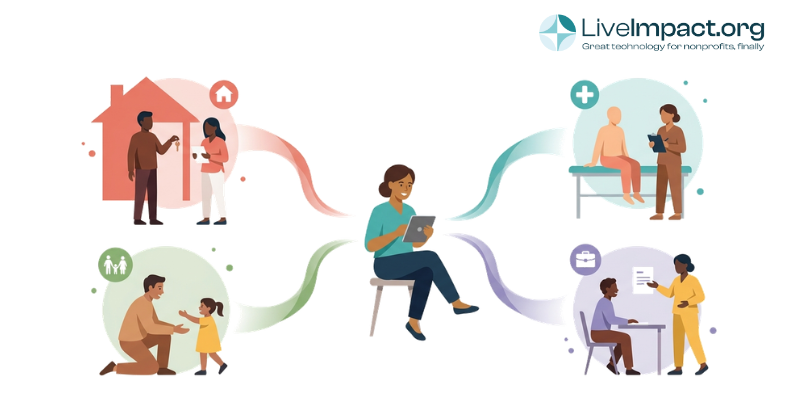
What Is Case Management Software for Social Workers?
Case management software for social workers is a platform that centralizes client intake, documentation, service tracking, outcome measurement, and grant reporting in one system. Social services agencies use it to replace spreadsheets and paper files, reduce documentation time, and meet compliance requirements for government and foundation funders.
This guide exists because social services agencies have specific operational needs that general nonprofit software rarely addresses. Most “best of” lists are written for a broad nonprofit audience. Child welfare agencies, homeless services providers, family services organizations, and community action agencies have distinct requirements around documentation standards, caseload complexity, and multi-funder reporting that deserve their own treatment.
If you’re evaluating platforms for your agency, this guide walks through what features matter most, how software needs vary by service area, and what questions to ask vendors before you commit.
Why Social Services Agencies Have Unique Software Requirements
Social workers typically carry caseloads of 20 to 50 or more clients, each with overlapping service needs that evolve over months or years. Managing that complexity in a spreadsheet or a general nonprofit CRM creates documentation gaps, missed follow-ups, and reporting headaches when funders ask for outcomes data.
The scale of this workforce makes good systems essential. According to the U.S. Bureau of Labor Statistics, social workers held about 810,900 jobs in 2024, with employment projected to grow 6 percent through 2034, faster than the average for all occupations. As the field grows, the administrative infrastructure supporting those workers needs to keep pace.
Documentation in social services carries legal and compliance weight beyond what most nonprofits face. Notes support licensing reviews, court proceedings, funder site visits, and audit trails. A system that makes documentation easy and consistent reduces both administrative friction and organizational risk.
Grant reporting requirements in this space often involve specific outcome metrics that vary by program and funder. A housing agency might report to HUD on housing placement rates while simultaneously reporting to a local foundation on financial stability outcomes and to a state contract on days to permanent housing. General CRMs are built around relationship and gift history, not outcome measurement tied to varied funder requirements.
Client records in social services tend to be long-lived and complex. A family services agency might work with a client family across years, across multiple programs, with multiple staff members involved at different stages. That requires a system built around case history and service continuity, with contact records as a baseline rather than the primary structure.
Field access adds another layer. Social workers conducting home visits, court appearances, or community outreach need to document accurately from wherever they are, often on a phone or tablet, sometimes without reliable internet connectivity.
What Features Should Case Management Software Include for Social Services?
Not every platform marketed as “nonprofit case management software” is actually suited for social services workflows. Here are the seven features that separate purpose-built social services software from adapted general tools.
- Configurable intake and eligibility forms. Social services intake collects more than contact information. Agencies need to document household composition, income eligibility, prior services, referral source, presenting needs, and program-specific criteria, all of which differ across programs. Software that lets you configure intake forms without custom development work saves significant time and reduces intake errors.
- Case notes and documentation with audit trails. Every note should be timestamped, attributed to the staff member who created it, and locked against retroactive editing. This matters for licensing reviews, legal proceedings, and funder documentation requests. NASW’s Standards for Social Work Case Management call for maintaining records that protect client confidentiality while supporting accountability to funders and oversight bodies. Software that allows untracked edits creates organizational liability.
- Multi-program and multi-service enrollment. Clients at community action agencies, family service organizations, and homeless services providers often receive services from more than one program at the same time. A client might be enrolled in housing assistance, emergency food services, and workforce development simultaneously. Software built around single-program enrollment creates duplication and data gaps for these agencies.
- Outcome tracking tied to funder requirements. Government contracts, foundation grants, and federal programs each specify which outcomes matter and how they should be measured. Configurable outcome fields, milestone tracking, and goal completion reporting let agencies build their measurement framework into the software rather than maintaining separate spreadsheets for each funder.
- Referral and community resource management. Social work is network-based. Agencies refer clients to partner organizations constantly, and good case management requires tracking whether those referrals resulted in services. Closed-loop referral tracking, with confirmation of service receipt, turns a referral log into an actual outcomes data point.
- Role-based access and mobile access. Case managers, supervisors, field workers, and administrators all need different levels of access to client records. A field worker documenting a home visit on a tablet should see a different interface than a program director reviewing caseload reports. Role-based permissions protect client privacy and simplify workflows for each type of user.
- Reporting that maps to government and funder formats. Generating reports is where documentation effort either pays off or exposes gaps. Software that can produce HUD Annual Performance Reports, state contract summary reports, and custom foundation grant reports without manual data compilation saves hours per reporting cycle and reduces transcription errors.
Quick Features Comparison Table
The table below shows how these features map to the most common social services sub-sectors. Every agency needs the basics, but specific features carry more weight depending on your service area.
| Feature | Child Welfare | Homeless Services | Behavioral Health | Community Action |
|---|---|---|---|---|
| Configurable intake forms | ⬤ Essential | ⬤ Essential | ⬤ Essential | ⬤ Essential |
| Audit-trail case notes | ⬤ Essential | ⬤ Essential | ⬤ Essential | ⬤ Situation-dependent |
| Multi-program enrollment | ⬤ Situation-dependent | ⬤ Essential | ⬤ Situation-dependent | ⬤ Essential |
| Outcome tracking by funder | ⬤ Essential | ⬤ Essential | ⬤ Essential | ⬤ Essential |
| Referral tracking | ⬤ Essential | ⬤ Essential | ⬤ Essential | ⬤ Situation-dependent |
| HIPAA compliance tools | ⬤ Situation-dependent | ⬤ Rarely needed | ⬤ Essential | ⬤ Rarely needed |
| HUD / government report formats | ⬤ Situation-dependent | ⬤ Essential | ⬤ Situation-dependent | ⬤ Situation-dependent |
⬤ Essential
⬤ Situation-dependent
⬤ Rarely needed
How Social Work Case Management Software Differs From a General Nonprofit CRM
A nonprofit CRM is built around relationship tracking: donor history, communication logs, gift records, and stewardship workflows. That architecture is genuinely useful for development teams. It’s a poor foundation for managing 40 active client cases across three programs with different funder metrics for each.
Social services agencies often evaluate both CRM-first tools like Salesforce Nonprofit Cloud and purpose-built case management platforms at the same time. The distinction worth understanding: CRMs optimize for relationship breadth, while case management software optimizes for service depth. Managing client records in a CRM typically requires significant customization, workarounds for multi-program enrollment, and manual processes to generate the outcome reports funders require.
Some agencies genuinely need both: a CRM for donor and volunteer management alongside a case management system for client programs. Others, particularly smaller organizations without major fundraising operations, find that a platform built around case management with fundraising capabilities layered in serves them better than a CRM with case management bolted on. Understanding which architecture fits your primary workflow is worth the time before you evaluate vendors. You can explore the LiveImpact vs. Salesforce comparison for a closer look at how these architectures play out in practice, or browse Bonterra alternatives if you’re coming from an Apricot background.
Types of Social Services Organizations and What Each Needs
Social services agencies are not a monolith. The software requirements for a child welfare agency and a community action organization overlap in some areas and diverge significantly in others. Here’s what each sub-sector needs most.
Child Welfare and Family Services
Child welfare agencies need software that models family units as the primary record structure. A case typically involves multiple family members with linked records, multiple staff assigned at different stages, court-required documentation milestones, and safety assessment frameworks built into the workflow.
Look for platforms that support family-level case structures, allow court documentation attachments, and provide supervisor review workflows for safety assessments. Multi-worker collaboration on a single family case is a baseline expectation, not an advanced feature.
Homeless Services and Housing Assistance
Homeless services agencies operating with federal funding typically need HMIS (Homeless Management Information System) compliance and the ability to generate HUD Annual Performance Reports. Housing placement is a primary outcome metric: software needs to track shelter bed utilization, housing search progress, and permanent housing placement dates.
Coordinated entry processes, which route clients to services through a centralized assessment and prioritization system, require software that can handle referrals and handoffs across multiple provider agencies.
Behavioral Health and Substance Use Services
Behavioral health organizations face the most stringent documentation requirements in social services. HIPAA compliance is not optional. Clinical note structures, treatment plan tracking, and care coordination with medical providers require a different documentation architecture than general case management.
Organizations in this space should confirm that any platform they evaluate includes a Business Associate Agreement (BAA), supports clinical note formats specific to behavioral health, and handles medication logs if applicable. Platform selection here is a compliance decision as much as an operational one. It carries workforce implications too: research from Candid found that social and human services ranks among the nonprofit subsectors with the highest share of employees considering leaving, with too much work and too little support cited as the top reason. Software that reduces documentation burden is a meaningful part of that support equation.
Community Action and Human Services Agencies
Community action agencies often run the widest variety of programs of any social services organization type: energy assistance, food pantry, emergency financial assistance, job training, Head Start, and more, sometimes all within a single agency. Multi-program enrollment is a core requirement for community action agencies.
Income eligibility verification and documentation is another critical need, as many programs use federal poverty guidelines or LIHEAP criteria. Federal program compliance reporting, including CSBG (Community Services Block Grant) reporting, requires outcome data that general nonprofit software rarely collects in the right format.
Questions to Ask Before You Choose a Platform
Vendor demos are polished. The questions that reveal whether software actually fits your workflows tend to be the specific ones, not the general ones. Before you sit down with a vendor, bring these to the conversation.
- Can intake forms be configured for our specific program eligibility criteria? Ask to see this live during the demo rather than in a screenshot. Configuration flexibility varies widely across platforms.
- Does the platform generate reports in the formats our funders require? Bring a sample funder report and ask the vendor to show you how the system produces it. This is the fastest way to find out whether “custom reporting” means clicks or months of development work.
- How does it handle a client enrolled in three programs simultaneously? Ask specifically about the client view when someone is active in multiple programs. Some platforms handle this well; others create separate records that don’t connect.
- What does mobile access look like for field workers? Ask about offline capability. If your staff document in areas with unreliable connectivity, a browser-only solution may not work.
- What does implementation and data migration actually involve? Get a realistic timeline and ask for references from organizations of similar size and complexity. Implementation difficulty is one of the most common sources of post-purchase frustration in nonprofit software decisions.
- Who owns the data, and how is it exported? This matters more than most buyers realize before they’ve experienced a vendor sunset or a price increase that makes switching necessary.
Good answers to these questions won’t just come from the sales rep. Ask to speak with a current client in a similar service area as part of your evaluation process.
How LiveImpact Supports Social Services Organizations
LiveImpact’s case management software is built for nonprofits that need program-specific configuration without enterprise-level pricing or implementation timelines. For social services agencies, that means configurable intake and case forms, multi-program client enrollment, and outcome reporting that maps to grant and funder requirements.
West Valley Community Services, a Bay Area human services organization, uses LiveImpact to manage client services across multiple programs, a real-world example of how the platform handles the multi-program complexity common in community action settings. The platform is designed so that program managers, not developers, can adjust forms and fields as program requirements change.
LiveImpact’s pricing uses a flat-rate model with no per-user fees, which matters for social services agencies where large program staff teams would make per-user pricing prohibitive. If you want to see how it fits your agency’s specific programs and reporting requirements, comparing your options or scheduling a demo is the practical next step.
For more on how documentation practices connect to funder relationships, the post on how to demonstrate impact to funders covers the reporting side in depth.
Frequently Asked Questions
What is the best case management software for social services?
There is no single best option for every organization. The right choice depends on your agency’s size, service mix, funder reporting requirements, and budget. Platforms built specifically for human services tend to fit social services workflows better than general nonprofit CRMs adapted for case management. Evaluating two or three platforms against your actual reporting requirements, rather than a generic feature checklist, gives you the most reliable answer.
How is social work case management software different from a nonprofit CRM?
A nonprofit CRM tracks donor relationships and giving history. Case management software tracks client service history, case progress, and program outcomes. Social services agencies need outcome tracking and documentation structures, including audit trails and funder-specific reporting, that CRMs don’t typically provide without significant customization.
Is there free case management software for social services agencies?
Some platforms offer free tiers or limited free versions, but organizations with real caseloads and compliance reporting requirements typically need paid software. Budget-friendly options exist for small agencies. Evaluating total cost, including implementation, training, and ongoing support, rather than monthly licensing fees alone, gives a more accurate picture of what a platform actually costs.
What features do social workers specifically need in case management software?
Social workers need configurable case notes, multi-program client enrollment, mobile access for field documentation, referral tracking to partner agencies, and outcome reporting tied to funder metrics. HIPAA compliance is also a requirement for any organization serving clients with behavioral health needs, and it should be confirmed as part of vendor evaluation, not assumed.
How much does case management software for social services typically cost?
Pricing varies significantly across platforms. Small agencies often find entry-level options in the $100 to $300 per month range. Mid-sized organizations with multiple programs typically budget more depending on feature depth and the vendor’s pricing structure. Flat-rate pricing models, like LiveImpact’s, tend to be more predictable for agencies with large staff teams than per-user models.
What’s the best human services case management software for a small nonprofit?
Small nonprofits benefit most from platforms with straightforward configuration, flat-rate pricing, and implementation support included. The ideal platform handles intake, case documentation, and basic outcome reporting without requiring a dedicated administrator to maintain it. Prioritize vendors who include onboarding as part of the subscription rather than billing it separately.
How can social services agencies improve case documentation practices?
Consistent documentation improves when the system makes it easier to document correctly than to skip steps. Structured note templates, required fields tied to program milestones, and mobile access for field staff all reduce the friction that leads to documentation gaps. Reviewing case notes software options and thinking about how mobile access fits your workflows is a practical starting point. For agencies with field staff, revisiting your mobile case management setup is worth the time.
Need to see how case management software fits your specific programs and funders? LiveImpact offers demos tailored to social services agency workflows. Compare your options or reach out to schedule a conversation with the team.