


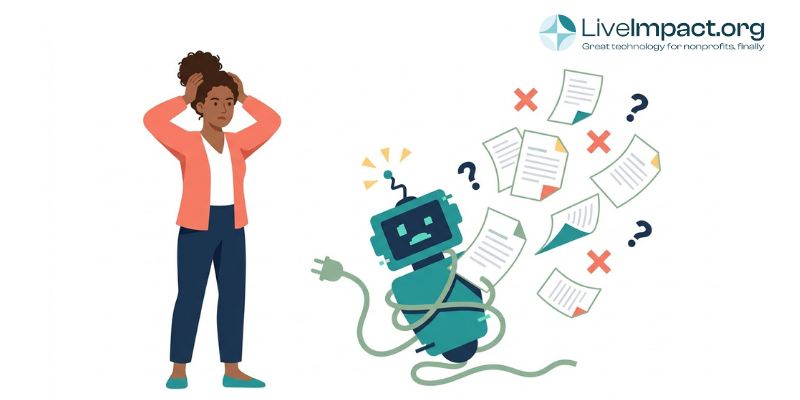
Most nonprofits now use some form of artificial intelligence, and a growing share are already implementing AI tools formally in daily processes. A 2026 survey of nonprofit organizations by Coastal Cloud and Oxford Economics found that every one of the 75 groups surveyed had an AI initiative live and working. Only 19% could point to a measurable result from it. That gap is significant, and points to effort and cost being wasted in the process rather than saved.
The measurement gap most nonprofits are missing
Most organizations using AI do track whether it saves time, but few track whether it moves the mission forward. In the Coastal Cloud survey, 45% of nonprofit leaders measure AI success mainly by time saved, while only 19% strongly agree AI has delivered a result they can point to. Time savings are easy to log. Whether those saved hours turn into better outcomes for the people a program serves is harder to prove, and most organizations never get to that point.
Part of the problem starts before an AI tool is ever implemented, and it has more to do with process management than tech. In the same Coastal Cloud survey, 60% of nonprofit leaders said the problem their AI tool was meant to solve turned out to be less valuable than expected once the tool was live. A team can adopt an awesome, genuinely capable tool and still end up with a limited result, because the tool solved a problem that wasn’t the one costing staff time. How you evaluate a tool before adopting it matters as much as the tool itself, which is the focus of this piece.
What makes an AI tool add time instead of removing it?
A tool can look impressive in a demo and still cost your team more hours than it saves once it’s running. Four patterns show up consistently in nonprofit AI rollouts that end up creating work instead of removing it.
- Output that needs heavy editing. A draft grant narrative that still needs a full rewrite before it goes to a funder takes roughly as long to produce as writing it from scratch, plus the time spent reviewing what the AI got wrong.
- Alert fatigue. A donor-scoring tool that flags forty “high-potential” contacts a week moves the work from data entry into inbox triage. Someone still has to read every flag and decide what to do with it.
- Automation that generates follow-up work. A client-facing bot that can’t resolve an intake question creates a ticket a staff member now has to pick up anyway, on top of the time spent re-reading the conversation to understand what was already asked.
- Tools that need ongoing prompt-tuning. A feature that only works well once your team has learned the right way to phrase a request carries a learning curve, and that learning curve is a real time cost.
These patterns line up with what the Coastal Cloud survey found happening after AI initiatives went live: 72% of nonprofits reported struggling with data accuracy or availability once the tool was in production, and 56% faced ongoing maintenance demands they hadn’t planned for. A similar pattern shows up outside the nonprofit sector too. A 2026 survey of U.S. workers by Founder Reports found that 45% had to fix or redo a colleague’s work because it leaned too heavily on AI. Reviewing someone else’s AI-assisted work is still work. It just moves to a different desk.
How do you evaluate an AI tool before adopting it?
Before adding any AI feature to your workflow, it helps to run through a short set of questions that cut through the sales pitch. The Coastal Cloud survey found that only 12% of nonprofits began their most recent AI initiative with a clearly defined problem. Most started with a vendor’s suggested use case or a platform they’d already purchased, then worked backward to find a use for it. A separate benchmark from TechSoup and Tapp Network found a similar gap: 85.6% of nonprofits reported exploring AI tools, but only 24% had a formal strategy guiding that exploration.
- Does this tool remove a step from an existing workflow, or does it add a review step on top of one?
- If the output isn’t usable as it stands, who ends up doing the follow-up work?
- Would a simpler, non-AI automation handle the same task just as well?
- Can you describe how the tool fits into your workflow in one sentence, without needing to explain how to phrase requests to get a good result?
Running a tool through these four questions before signing a contract catches most of the patterns from the previous section. If you’re building a broader plan for AI adoption at your organization, our earlier guide on setting a nonprofit AI roadmap walks through how to sequence that work, and our companion piece on why nonprofit AI adoption isn’t paying off looks at the structural side of the same problem.
Where AI does save real time
None of this means AI is a bad investment for nonprofits. It means the gains show up in specific places, not everywhere a vendor claims. Case management platforms that draft case notes or funder reports for staff to review, rather than trying to replace the case manager’s judgment, tend to hold up well against the four questions above. The AI drafts a starting point, a person who knows the client makes the final call, and the review step was already part of the job.
The same principle applies to reporting. Pulling program outcomes into a funder-ready format used to mean an afternoon of manual formatting. When that work happens inside connected case management software for nonprofits, the AI feature removes a step your team was already doing by hand rather than adding a new one. LiveImpact builds AI drafting into that existing review step, so staff spend their time confirming outcomes instead of reformatting them.
If your organization is weighing which AI features are worth adding this year, our nonprofit AI guide walks through how to introduce new tools without creating new risk for staff or donors. If you’d like to see how AI-assisted case notes and reporting work inside a single connected platform, request a demo and we’ll walk through it together.
Frequently asked questions
Does AI always save nonprofits time?
No. A 2026 survey of nonprofits with AI already in production found that only 19% could point to a measurable result, even though 45% measured success mainly by time saved. The tools that save time are the ones built into a workflow your team already runs, not features layered on top of one.
How do I know if an AI feature will create more work?
Ask who reviews the output and how often. If a person has to rewrite, re-check, or follow up on most of what a tool produces, the tool is shifting work to someone else’s desk instead of removing it. That shift is easy to miss, since the time savings show up for one person while the added work lands on another.
Why do so many nonprofits adopt AI without seeing results?
Per the Coastal Cloud and Oxford Economics survey, only 12% of nonprofits started their most recent AI initiative by defining the problem it needed to solve. Most picked a platform or a vendor’s suggested use case first. Without a clear problem defined up front, it’s hard to measure whether the tool solved anything at all.