


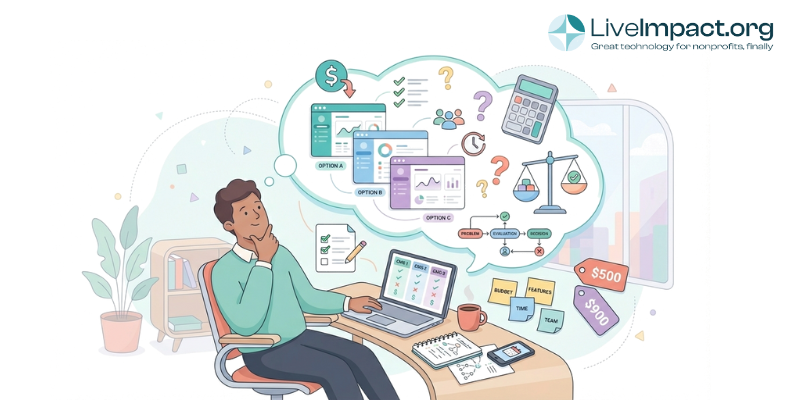
You know that feeling when you spot what looks like an amazing deal, but in reality it ends up being too good to be true? As a program director I know that feeling well. I worked in a housing services nonprofit, and I got really excited about a particular nonprofit case management software. It had a super low monthly fee and no onboarding cost. Fast forward three months, and we had to figure out five different workarounds, we were paying for three “essential” add-ons that weren’t mentioned upfront, and we were spending way too much time explaining to our team why the “bargain” software can’t do what they actually need it to do. When it came to that specific nonprofit software, there were more costs than we bargained for.
This situation happens more often than you’d think. When you’re managing tight budgets and accountable to funders, it’s natural to focus on the sticker price. But nonprofit software costs extend far beyond that initial number. Understanding the complete financial picture can mean the difference between a technology investment that empowers your team and one that becomes a running joke at staff meetings.
Whether you’re evaluating fundraising platforms, case management systems, or accounting software, this guide will help you compare nonprofit software costs strategically. You’ll learn to spot hidden expenses, calculate true value, and make technology decisions that support your mission for years to come.
1. Implementation and Setup Costs: The Launch
You’ve signed the contract for your new software, excited about streamlining operations. Then you get to the implementation phase. Here’s where costs and can vary widely depending on what you choose. Some enterprise systems like Salesforce require substantial implementation investment (often 200% to 300% of annual costs), while simpler solutions might include basic setup in your subscription price.
Implementation typically covers system customization, data migration from your current tools, initial workflow setup, and training. The key is finding the right fit. Very low or zero implementation costs can mean you’re mostly on your own to figure things out, which can work great if you have IT staff to handle this administrative load. Higher implementation costs usually include hands-on support, custom configuration, and guided setup that can save you months of trial and error. Neither approach is wrong, it just depends on your team’s capacity and how complex your requirements are.
It’s important to discuss with potential software vendors what is included in the implementation cost offered.
Questions to ask vendors:
- What’s included in your standard implementation package?
- How much technical expertise do we need on our end?
- What happens if implementation takes longer than estimated?
- Are there additional charges for data migration or custom configurations?
Don’t skip the implementation phase to save money. A rushed or incomplete setup creates ongoing frustrations and inefficiencies that will cost you far more in staff time and missed opportunities. Many software providers offer tiered implementation packages, so you can choose the level of support that matches your team’s technical comfort and capacity.
2. Training and Support: The Investment That Keeps on Giving
Here’s something nonprofits often underestimate: the cost (in time and dollars) required to get your team actually using the software effectively. Training is an ongoing investment that determines whether your software becomes a powerful tool or an expensive source of frustration.
Initial training process an costs can vary depending on the software’s complexity. But that’s just the beginning. You’ll need refresher training when staff turnover happens, advanced training as your team grows more sophisticated in their use, and training on new features as the software evolves. Then there’s the soft cost of the learning curve, where productivity dips while everyone gets up to speed.
Support costs matter too. Some vendors include basic support in your subscription, while others charge extra for phone support, priority response times, or access to a dedicated account manager. When your case manager can’t generate a critical grant report because they can’t figure out the system, that “included” email support with a 48-hour response time suddenly doesn’t feel like enough.
Questions to ask:
- What training formats do you offer (live, recorded, on-site, remote)?
- How much training is included in the base price?
- What support channels are available, and what are the response times?
- Do you charge extra for ongoing training or advanced workshops?
- What happens when we hire new staff who need training?
Remember that training costs include more than upfront fees. Factor in the staff time spent in training sessions and the temporary productivity dip as your team adjusts to new workflows. A nonprofit with 10 staff members spending an average of 8 hours each in training represents 80 hours of labor that isn’t being spent on programs or fundraising.
3. Data Migration and System Compatibility: Getting Your Information Into the New System
Moving your existing data into new software sounds straightforward until you’re actually doing it. You’ve got years of client records in spreadsheets, donor information in your old CRM, and program data scattered across multiple places. Getting all that information into your new system while keeping it accurate and usable takes real work.
Data migration costs vary wildly based on how much information you’re moving and how messy it currently is. Clean data in a single source might migrate for $1,000 to $3,000. Complex migrations involving multiple systems, data cleanup, and custom field mapping can run $5,000 to $10,000 or more.
The hidden challenge comes from data quality. If your current records have duplicate entries, inconsistent formatting, or outdated information, you’ll likely need to clean that up before (or during) migration. Some organizations discover they’re essentially paying to migrate bad data, then spending additional time fixing it in the new system.
System compatibility matters too. Your new software needs to work with your existing tools. Can it export reports in formats your board members can actually open? Does it play nicely with the accounting software your finance director already knows? Compatibility issues create ongoing friction that costs staff time every single week.
Questions to ask:
What data migration support do you provide?
- How much data cleanup will we need to do before migration?
- If import is easy to do, can we handle it ourselves?
- What file formats can your system import and export?
- What happens if we discover data problems after migration?
The goal is getting your historical information into the new system accurately without spending months on the process. Some vendors include basic data migration in implementation, while others charge separately. Understand what’s included and what you’ll need to handle yourself.
4. Scalability and Growth Costs: Planning for Tomorrow’s Needs
The software that perfectly fits your 10-person organization today might buckle under the demands of your 25-person team in three years. Or it might still work but require a costly upgrade or migration that you hadn’t budgeted for.
Most systems use tiered pricing based on users, records, or features. As your organization grows, you might face per-user fees that multiply quickly, record limits that force upgrades when your constituent database expands, or feature gates where essential capabilities only unlock at higher price tiers.
Consider a fundraising platform priced at $199 per month for up to 5,000 contacts. When you hit 5,001 contacts, the price jumps to $399 per month, a 100% increase. Or a case management system that charges $50 per user monthly. When you grow from 8 to 15 users to meet program expansion, your annual cost increases from $4,800 to $9,000.
Growth planning means finding software that can expand alongside your mission. Can the system handle multiple programs or service locations as you expand? Does it offer advanced features you might need eventually without forcing you to switch platforms? These questions matter because migrating to new software every few years costs far more than choosing a scalable solution from the start.
Questions to ask:
- How does pricing change as we add users, records, or programs?
- What happens when we exceed our current tier limits?
- Can the system handle our projected growth over the next 3-5 years?
- Are there features we might need in the future that require plan upgrades?
- What does it cost to migrate if we outgrow this solution?
The most cost-effective approach often means choosing software with room to grow, even if you’re paying for some unused capacity initially.
5. Hidden Fees: Reading Between the Lines of Nonprofit Software Costs
Some software vendors employ pricing tactics that make the true cost hard to determine upfront. These hidden fees can transform an affordable-looking solution into a budget buster once you’re already committed.
Common hidden fees include per-user charges that aren’t clearly stated upfront, data storage limits with expensive overage fees, feature unlocks where essential capabilities cost extra, API call limits that restrict integration usage, premium support packages required for adequate help, and payment processing fees on top of software costs.
Here’s a real example: A nonprofit signs up for fundraising software at $99 per month. Sounds reasonable. Then they discover that text messaging costs an additional $50 per month, the integration they need requires the Pro plan at $199 per month, storing their historical data exceeds the basic storage limit ($25 per month extra), and payment processing adds 2.9% plus $0.30 to every online donation. Their actual monthly cost? Nearly $300, triple the advertised price.
Some vendors use the “freemium” model, offering free software with severe limitations that force quick upgrades. Others lock essential nonprofit features behind expensive enterprise plans. You might need fund accounting, multi-location support, or advanced reporting, only to discover these capabilities require a plan that’s three times your budget.
Questions to ask:
- What’s included in the base price, and what costs extra?
- Are there usage limits (storage, transactions, API calls, messages)?
- What features require plan upgrades? What are your payment processing fees?
- Are there setup fees, termination fees, or other one-time charges?
- How much notice do you give for price increases?
Get everything in writing before you commit. Request a detailed cost breakdown showing the base subscription, required add-ons for your use case, estimated usage fees, and any other recurring or one-time charges. Calculate the realistic total, not just the advertised starting price.
6. Total Cost of Ownership Over 3-5 Years: The Real Investment Picture
Most nonprofits focus on Year One costs when comparing software, but the true financial commitment unfolds over several years. Total cost of ownership (TCO) analysis reveals the complete investment required across the software’s useful life.
TCO calculations typically show that the initial license or subscription price represents only 20% to 40% of the total investment. The remaining 60% to 80% comes from implementation, training, support, customization, maintenance, and staff time. For enterprise software, TCO can reach 5 to 8 times the initial purchase price over the system’s lifetime.
Let’s look at a concrete example. A nonprofit evaluates two case management options:
Option A: Budget Solution
Year 1: $2,400 subscription + $500 basic setup + $500 training = $3,400
Years 2-3: $2,400 per year = $4,800
Staff time for workarounds: 20 hours/month × $30/hour × 36 months = $21,600
Three-year total: $29,800
Option B: Comprehensive Solution
Year 1: $6,000 subscription + $4,000 implementation + $2,500 training = $12,500
Years 2-3: $6,000 per year = $12,000
Three-year total: $24,500
The budget option actually costs $5,300 more over three years than the comprehensive solution. Why? Those 20 extra hours per month your staff spends wrestling with an inefficient system add up fast. That’s 648 hours over three years – more than 16 full work weeks – that could have been spent serving clients, writing grants, or building donor relationships. And 20 total hours per month is a conservative estimate. Imagine larger organizations with many staff all being delayed by a system. Those costs can be huge.
How to calculate your TCO:
List all upfront costs (subscription, implementation, training, data migration) Calculate annual recurring costs (subscription, support, additional users) Estimate hidden costs (staff time, workarounds, additional tools needed) Project costs over 3-5 years Compare total investment against expected benefits
A worthwhile software investment creates gains through efficiency, better operations, or increased revenue that exceed its total cost over three to five years.
7. The Cost of NOT Choosing the Right Nonprofit Software: Opportunity Costs Matter
Here’s the consideration that’s hardest to quantify but potentially most expensive: what happens when you choose the wrong software or delay making a needed upgrade? These opportunity costs often dwarf the subscription fees nonprofits worry about.
Lost staff productivity: When your team spends hours each week fighting inadequate tools, those are hours not spent on programs, fundraising, or client services. A program manager spending 10 hours per week on manual paperwork because their case management system can’t generate the reports funders need represents 520 hours annually, worth $15,600 at a $30 hourly rate.
Staff turnover: Burnout from inefficient systems drives talented staff away. Recruiting and training a replacement can cost 50% to 200% of an annual salary. If inadequate technology contributes to just one staff departure, you’re looking at costs ranging from $20,000 to $80,000 for a position with a $40,000 salary.
Missed fundraising opportunities: Fundraising software that can’t segment donors effectively or automate follow-ups costs you in donor retention and growth. Research shows that improving donor retention by just 10% can dramatically impact revenue. If better software helps retain five donors worth $1,000 each annually, that’s $5,000 in recurring revenue you’d otherwise lose.
Grant compliance risks: For organizations managing government or foundation grants, software that can’t track restricted funds properly or generate required reports creates compliance nightmares. A single grant compliance violation can result in funding being withheld or future applications being rejected, potentially costing hundreds of thousands of dollars.
Competitive disadvantage: While you’re manually managing paper files and spreadsheets, other organizations in your sector are using modern tools to work more efficiently, demonstrate greater impact, and compete more effectively for funding. The gap widens every month you delay addressing your technology needs.
Questions to consider:
How much staff time do we currently lose to workarounds and inefficiencies?
- What’s the cost of staff frustration and potential turnover?
- Are we missing opportunities because our current tools can’t support growth?
- What’s the risk of compliance problems with our current system?
- How does our technology compare to peer organizations competing for the same funding?
Sometimes the most expensive decision is choosing not to invest a little more. When the cost of inadequate nonprofit software exceeds the investment in a proper solution, delay becomes the real budget threat.
Making Your Decision: A Strategic Framework
Comparing nonprofit software costs effectively requires moving beyond the advertised price to understand the complete financial picture. Here’s how to approach your decision strategically:
Identify your actual needs first. Figure out what problems you’re solving and what capabilities you truly need. A cheaper solution that doesn’t meet your requirements isn’t a bargain; it’s wasted money.
Build a comprehensive cost analysis. Use the considerations above to calculate TCO covering 3-5 years. Include hard costs (subscriptions, implementation, training) and soft costs (staff time, opportunity costs).
Look at what you’re getting for your money. The right software should create measurable benefits through time savings, increased efficiency, better fundraising results, improved compliance, or enhanced program outcomes. Compare TCO against projected benefits to determine ROI.
Request detailed pricing in writing. Before making any commitment, obtain written pricing that includes the base subscription, required features and add-ons for your use case, implementation and training costs, data migration requirements, and any usage-based fees or limits.
Check references with similar organizations. Ask other nonprofits about their experience with implementation costs, hidden fees, and whether the software delivered the promised value. Specifically ask about unexpected costs they encountered.
Budget for change management. Technology success depends on adoption. Set aside time and resources for training, communication, and helping your team embrace new workflows. The best software won’t deliver value if your team doesn’t use it effectively.
Final Thoughts
When you account for all seven considerations above, you’ll make technology decisions based on true value rather than misleading price comparisons. Your funders, your board, and most importantly your staff will appreciate the thoughtfulness you brought to this critical investment.
Software investments help your organization fulfill its mission more effectively. The right technology empowers your team to do more with the resources you have while reducing the time spent on administrative tasks.
Ready to explore nonprofit software that’s transparent about costs and designed specifically for nonprofit needs? Learn more about LiveImpact’s straightforward pricing and implementation process.
Here’s a quick checklist you can use to make sure you’ve crossed your Ts and dotted your Is:
Quick Reference Checklist: Evaluating Nonprofit Software Costs
Use this checklist when comparing software options:
- Implementation costs quoted in writing √
- Training included vs. extra costs identified √
- Data migration capabilities and costs clarified √
- Scalability limits and upgrade costs understood √
- All hidden fees and usage limits identified √
- 3-5 year TCO calculated for each option √
- Opportunity costs of current vs. new solution estimated √
- References checked with organizations similar to yours √
- Total value (not just cost) evaluated against needs √
- Change management resources planned √