


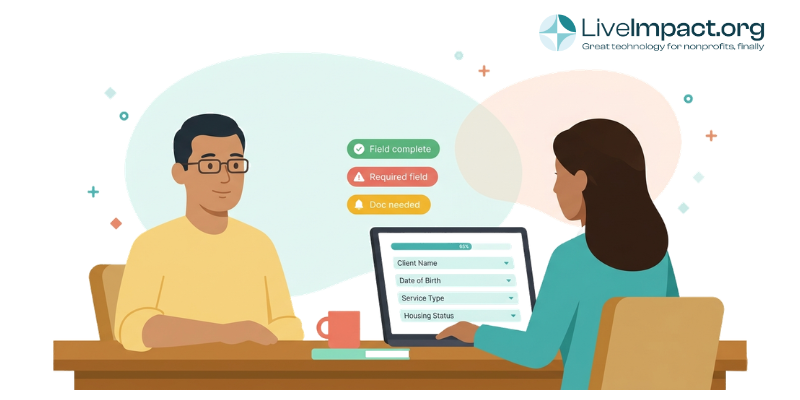
It’s 4:30 on a Friday afternoon, and you have an updated outcomes report due for your biggest funder by Monday. But when you open your case management system and run the report, your stomach drops. Half the intake records are missing demographic fields. Income documents aren’t present when they should be. Case notes from three different staff members use completely different formats. And someone entered “N/A” in a date field, which broke the entire export.
Sound familiar? Poor case management data quality is one of the most common (and most preventable) problems in nonprofit program management. The good news: fixing it usually requires changing how your system is set up, not overhauling your entire team.
Why Does Case Management Data Quality Matter for Nonprofits?
Bad data is easy to ignore when things are running smoothly. It only becomes a crisis during grant reporting season, an audit, or a leadership transition. By then, the damage is already done.
According to Nonprofit Hub, 90% of nonprofits actively collect data, but nearly half are unsure how to use it effectively. And a 2025 CCS Philanthropy Pulse report found that over 54% of organizations identify incomplete or inaccurate data as a major obstacle to maximizing the information they collect. The data is there. It’s just unreliable.
The consequences ripple outward from that unreliability. Funder reports take days instead of hours because someone has to manually clean the data before it can be exported. Grant applications lose credibility when outcome numbers conflict from one section to the next. Staff transitions become chaotic because the incoming case manager can’t reconstruct a client’s history from inconsistent notes. And at worst, compliance gaps put future funding at risk.
Many human services organizations still rely on spreadsheets, shared drives, and paper files to manage client data. Often, these systems can’t keep up with your program’s complexity, forcing staff into double data entry that wastes time and creates frustration. That experience is common across the sector, and it compounds as programs grow, staff turn over, and funder reporting requirements become more demanding.
The takeaway is clear: the quality of your data shapes the quality of your decisions, your compliance standing, and your ability to tell your program’s story to the people who fund it.
What Causes Poor Data Entry in Case Management Systems?
Here’s what most “data quality” articles won’t tell you: the problem is almost never that case managers are careless or lazy. Most documentation issues trace back to system design, not staff effort.
Consider how the typical breakdown happens. A case manager finishes an intense client session. They have 15 minutes before their next appointment. They open the system to enter notes, and they’re staring at a blank text field with no guidance on what to include. Maybe the system has 40 fields, but only three are required. There’s no dropdown for service type, so they type it freehand (and spell it differently every time). The date field accepts any format, so records contain a mix of “3/15/26,” “March 15, 2026,” and “15-Mar.” The system doesn’t remind them when necessary info or documents are missing.
Multiply that across a team of five or ten case managers, a few hundred clients, and twelve months of documentation. By the time you need that data for a grant report, it’s full of inconsistencies and missing data. Staff then have to become Sherlock Holmes, retracing their activities or even contacting clients again to fill in the gaps.
The most common root causes include:
- Too many free-text fields where dropdowns or structured inputs would enforce consistency
- No required fields on critical data points, so staff skip them under time pressure
- No standardized documentation format for case notes, leading to wildly different entries from each team member
- Data spread across multiple systems (spreadsheets, email, shared drives, paper files), making consolidation a nightmare
- High staff turnover with no onboarding process for documentation expectations, so each new hire develops their own habits
Notice that most of these are design problems, not people problems. When you make it easier to enter data correctly than incorrectly, quality improves without anyone needing a lecture.
How to Train Case Managers on Documentation and Data Entry
System design matters, but it only works if your team understands what “good” documentation looks like and why it matters. Training is the human side of the equation, and it deserves more than a one-time onboarding session.
Show how documentation connects to client outcomes. Case managers became case managers because they want to help people. If training frames documentation as a bureaucratic chore, it’ll be treated like one. Instead, show the direct connection: “When you record a client’s housing status consistently, we can pull a report that proves our program works, which funds the next year of your position.” That reframe changes the whole dynamic.
Adopt a structured note format. Standardized frameworks like SOAP (Subjective, Objective, Assessment, Plan) or DAP (Data, Assessment, Plan) give case managers a repeatable structure for every interaction. The specific format matters less than having one at all. When everyone follows the same template, notes become comparable, searchable, and useful for continuity of care.
Create a simple documentation guide. This should be a one-page, simple reference that covers:
- Which fields are required and why
- Accepted values for key data points (service types, referral sources, status categories)
- The note format your team uses, with a brief example
- Common mistakes to avoid (like entering “N/A” in fields that should be left blank)
Make documentation part of ongoing supervision. Monthly or quarterly case note reviews during supervision meetings reinforce standards without creating a separate quality control process. Supervisors can spot patterns (one staff member consistently skipping a field, for instance) and address them before they become systemic.
Onboard every new hire to your documentation standards specifically. With turnover rates in human services running high, your documentation guide should be part of every new employee’s first week. Pair new staff with a colleague who models good documentation habits for their first few weeks.
What Software Features Improve Case Management Data Quality?
Training gives your team the skills. Your software should make applying those skills as frictionless as possible. If your system requires discipline and willpower to produce clean data, you’ve already lost.
These are the features worth prioritizing in a case management platform (or configuring in the one you have):
Data validation rules.
Data validation is the single most impactful feature for data quality. These are the guardrails that prevent bad data from entering the system in the first place. Effective validation includes required fields on critical data points (so records can’t be saved incomplete), format enforcement on dates, phone numbers, and IDs, and range checks that flag impossible values (like a birthdate in the future).
Dropdown menus and structured fields instead of free text.
Every field that can be a dropdown should be. Service type, referral source, program name, case status, discharge reason: all of these should pull from a defined list. Free text is appropriate for case narrative notes. It’s a liability everywhere else.
Duplicate detection and flagging.
When multiple staff members can create client records, duplicates are inevitable without automated checks. Your system should flag potential matches during intake based on name, date of birth, or other identifiers, and let staff merge records when duplicates are found.
Alerts and rules for missing or incomplete data.
Your platform should be able to flag records that are missing critical information, either in real time (preventing a save until required fields are completed) or through periodic reports that surface gaps. This is especially valuable for supervisors monitoring data quality across a team.
Mobile-friendly data entry.
If your case managers do field work, they need to document interactions where they happen. Waiting until they’re back at a desk means relying on memory, which degrades quickly. A mobile-accessible system lets staff enter notes, update forms, and log participation on the go.
Customizable forms that mirror your actual workflows.
Off-the-shelf forms rarely match the specific data points your funders require or your programs collect. Your platform should let you build and modify intake forms, assessment tools, and service tracking forms without needing a developer. When the form matches the workflow, staff are more likely to complete it accurately.
LiveImpact’s case management platform was designed with these principles at its core. Built-in data validation and duplicate detection help ensure clean data from the point of entry. Customizable forms with a variety of field types (dropdowns, date pickers, conditional logic) let you structure data collection around your programs, not the other way around. Smart Grids provide real-time visibility into records, making it easy to spot gaps and inconsistencies before they become reporting problems. And because the system is intuitive enough for all skill levels, adoption stays high without extensive retraining every time a staff member turns over.
How to Build a Data Quality Culture at Your Nonprofit
The phrase “data quality culture” can sound like corporate jargon, but the concept is practical: making clean data a shared priority rather than a supervisory burden.
Start by giving staff visibility into how their documentation gets used. When case managers see their notes feeding directly into a funder report or a board presentation, documentation stops feeling like busywork and starts feeling like a valuable contribution. Some organizations share monthly “data highlights,” showing stats that were pulled cleanly from the system and tying them back to the team’s everyday work.
Run quick, quarterly data audits. These can be as simple as pulling a report of records with missing fields, reviewing a sample of case notes for consistency, and discussing findings in a team meeting. The goal is pattern recognition, not punishment. If the same field is blank across dozens of records, the problem is likely the form design, not the staff.
Celebrate wins. When a grant report comes together in two hours instead of two weeks because the data was clean, say so. When an audit goes smoothly, acknowledge the documentation practices that made it possible. Positive reinforcement does more for long-term culture change than any number of compliance reminders.
And critically, involve frontline staff in system design decisions. When case managers help choose which fields are required, which dropdown options make sense, and how forms are structured, they’re more invested in using the system correctly. They also catch usability issues that administrators would never notice.
Case Management Data Quality Checklist for Program Managers
If you’re looking for a place to start, here’s a practical checklist you can work through this month:
- Audit your required fields. Pull up your intake and service forms. Are the fields that matter most for reporting actually marked as required? If not, update them.
- Convert free-text fields to dropdowns wherever the answer should come from a defined set of options. Service types, referral sources, and discharge reasons are common candidates.
- Enable data validation rules for format-sensitive fields like dates, phone numbers, and ID numbers. If your system supports it, set these up immediately.
- Create (or update) a one-page documentation guide covering your team’s note format, required fields, and common data entry standards.
- Add a case note review to your next supervision cycle. Review two or three notes per staff member for completeness and consistency.
- Run a missing-data report. Most case management systems can identify records with blank required fields. Use the results to spot patterns and address them.
- Schedule a quarterly data quality check-in as a recurring team meeting agenda item. Keep it to 15 minutes, focused on trends rather than individual errors.
- Test your forms from a new hire’s perspective. Can someone with no institutional knowledge look at your intake form and understand what goes in each field? If not, add helper text or restructure.
Clean Data Starts With Easier Data Entry
The organizations that maintain strong case management data quality over time share one trait: they’ve made entering data correctly the path of least resistance. Through a combination of thoughtful training, structured documentation standards, and a system designed to support (rather than fight) good data practices, clean data becomes a byproduct of daily work rather than a special project.
If your team is spending more time cleaning data than using it, or if every grant report triggers a scramble, it may be time to evaluate whether your current system is working for you or against you. LiveImpact’s customizable case management tools give program managers the flexibility to build forms, set validation rules, and monitor data quality from a single platform, with flat-rate pricing that scales with your organization.
For more on building a data-driven foundation, check out our guide to data quality best practices for nonprofits.
Frequently Asked Questions About Case Management Data Quality
How often should nonprofits audit their case management data?
Most organizations benefit from a lightweight quarterly review. This can be as simple as running a report on records with missing required fields, sampling a handful of case notes for consistency, and discussing patterns in a 15-minute team meeting. Annual deep audits (checking for duplicates, outdated records, and inactive cases) are also worth scheduling, especially before major grant reporting deadlines.
What is data validation in case management software?
Data validation refers to the built-in rules that check information as it’s entered into the system. These rules can require specific fields to be completed before a record is saved, enforce formatting standards (like date or phone number formats), restrict entries to predefined dropdown options, and flag values that fall outside an expected range. Validation prevents errors at the point of entry rather than requiring cleanup after the fact.
How do you standardize case notes across a team?
The most effective approach is to adopt a structured note format that every case manager follows. Frameworks like SOAP (Subjective, Objective, Assessment, Plan) and DAP (Data, Assessment, Plan) are widely used in human services. Pair the format with a brief one-page documentation guide, include it in new hire onboarding, and review a sample of notes during regular supervision meetings to reinforce consistency.
Can case management software prevent duplicate client records?
Yes. Most modern case management platforms include duplicate detection tools that compare new entries against existing records during intake. These tools typically match on fields like name, date of birth, and contact information, then alert the user to potential duplicates before a new record is created. Some systems also allow administrators to merge duplicate records when they’re discovered later.
Why is my nonprofit’s grant reporting so time-consuming?
Slow grant reporting almost always traces back to data quality issues upstream. When intake fields are incomplete, case notes use inconsistent formats, or data lives in multiple disconnected systems, staff have to manually clean and reconcile information before a report can be generated. Organizations that invest in structured data entry, validation rules, and a centralized case management system typically see dramatic reductions in reporting time.
Request a demo to see how LiveImpact can help your team spend less time fixing data and more time using it.